Bypassing GNOME Wayland's Fullscreen Black Curtain for an Always-on-Top Translucent Player
How I used AI-assisted desktop engineering to build an Always-on-Top Auto-PiP and see-through Crunchyroll Linux client for multitasking while AI agents run - and fixed two sneaky X11/Wayland compositor traps.
TL;DR · Production Summary
- Browser Picture-in-Picture on Linux often drops styled anime subtitles or sinks behind active IDE windows as soon as you click your terminal.
- On GNOME Wayland (Mutter), exclusive _NET_WM_STATE_FULLSCREEN windows are backed by a solid black compositor curtain, and XWayland ignores _NET_WM_WINDOW_OPACITY.
- Stacking CSS root alpha (--cr-window-opacity) with native win.setOpacity() on X11 multiplies both alphas together (0.5 * 0.5 = 0.25), making 20% opacity nearly invisible (4%) until unified onto a single ARGB alpha layer.
Linux Compositor Window Translucency Behavior (X11 vs XWayland vs Wayland Bypass)
| Compositor Mode | Native win.setOpacity(0.5) | CSS ARGB --cr-window-opacity: 0.5 | Combined Result Before -> After Fix |
|---|---|---|---|
| X11 Windowed | 50% _NET_WM_WINDOW_OPACITY | 50% surface alpha | 25% quadratic dark -> 50% linear ARGB |
| GNOME Wayland Fullscreen | Ignored by XWayland | Composited over black curtain | Fades to black -> Borderless workArea see-through |
| GNOME Wayland Auto-PiP | Always-on-Top 560x315 | Crisp 100% or custom alpha | Subtitles intact over active IDE/terminal |
Interactive Benchmark Playground
1. Why Browser PiP Breaks Down for Anime + Coding Workflows
Modern AI-assisted software engineering involves lots of 2-to-10-minute waits while Python test suites, Docker builds, or multi-step coding agents run. Watching subbed anime in a normal browser tab fails immediately: HTML5 Picture-in-Picture skips custom subtitle overlays on many Linux builds, and unpinned floating windows vanish the instant you click back into your editor or terminal.
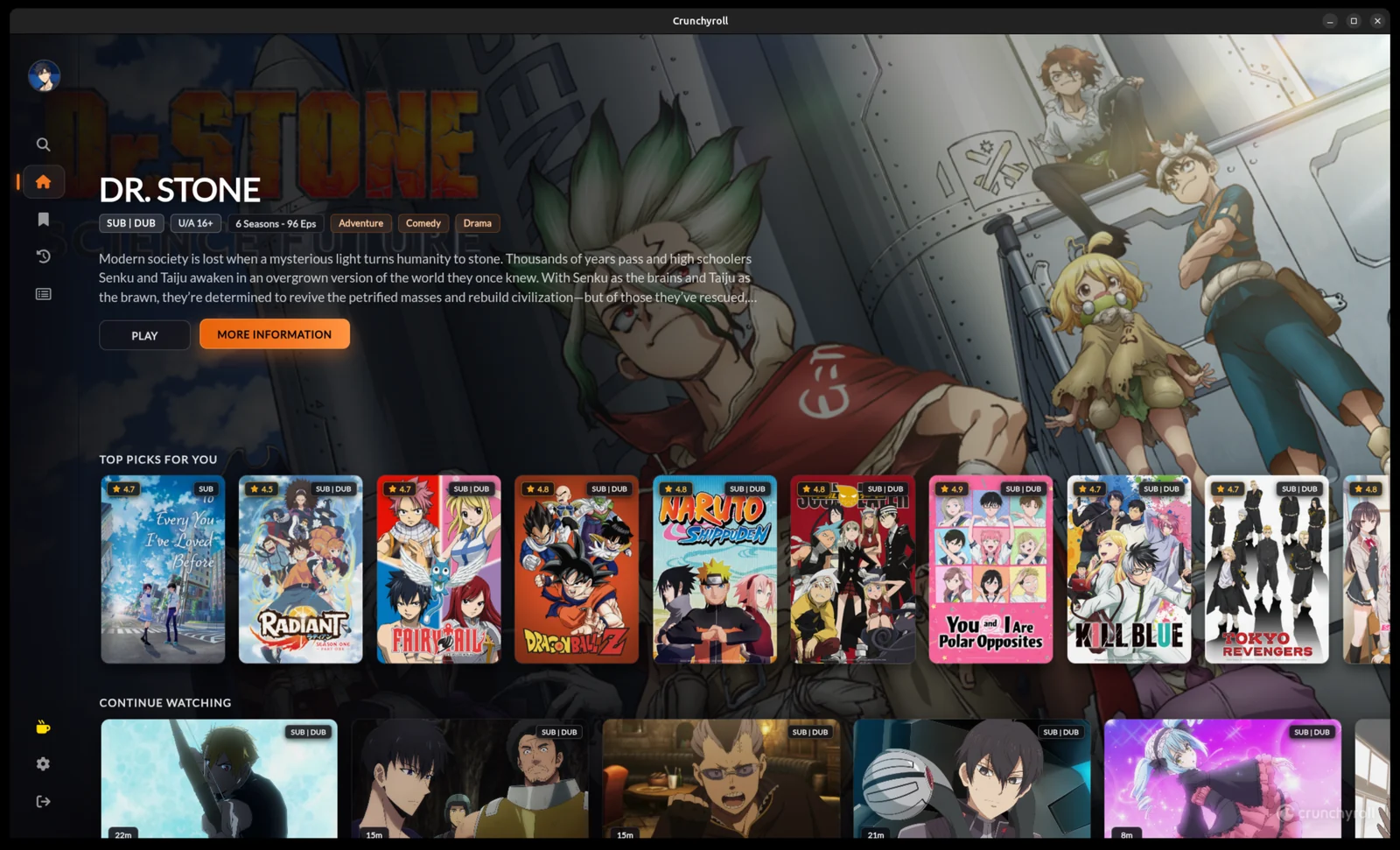
Using AI-assisted desktop engineering on top of Castlabs' Widevine DRM runtime, I built Crunchyroll Ubuntu Desktop around two Linux window-management primitives: Smart Auto-PiP (which automatically shrinks and pins an Always-on-Top mini-window with full subtitles whenever focus moves to another app) and See-Through Player Translucency (20% to 100%) so you can watch terminal logs progress right behind an episode.
2. Compositor Trap #1: Mutter's Fullscreen Black Curtain
Even when a desktop window is created with transparent: true (32-bit ARGB visual), setting actual _NET_WM_STATE_FULLSCREEN on GNOME Wayland instructs Mutter to scan out the surface over an opaque black fullscreen backdrop for direct-scanout optimization. Lowering alpha just fades the video into pitch black instead of revealing your code editor underneath.
Our fix automatically detects when player opacity drops below 100% while fullscreen: the main process exits exclusive fullscreen and snaps the borderless window to screen.getDisplayMatching(bounds).workArea. Visually it still fills your workspace, but Mutter now composites the 32-bit ARGB surface cleanly over your underlying windows, restoring true fullscreen automatically at 100%.
3. Compositor Trap #2: Quadratic Double-Dimming (0.5 * 0.5 = 0.25)
Initially we set both CSS --cr-window-opacity on body.player-active (so Wayland's ARGB buffer carried the alpha) AND native win.setOpacity(alpha) (for X11 window managers). On X11/XWayland compositors that honor both 32-bit ARGB alpha and _NET_WM_WINDOW_OPACITY, the compositor multiplied the two layers together: choosing 50% gave 25% brightness, and choosing 20% gave 4%!
Keeping native window opacity at 1.0 and driving translucency solely through the 32-bit ARGB surface alpha (--cr-window-opacity) made translucency strictly linear from 20% to 100% across both Wayland and X11 while keeping Ctrl+Shift+S frame captures at full 100% clarity.
// Keep native window opacity at 1.0 so X11/XWayland never squares alpha (0.5 * 0.5 = 0.25).
// When < 100% while fullscreen, exit _NET_WM_STATE_FULLSCREEN and snap to workArea
// so GNOME Wayland composites the 32-bit ARGB surface over underlying IDE windows.
if (clamped < 0.999 && win.isFullScreen()) {
  translucentFullscreenBypass = true;
  win.setFullScreen(false);
  win.setBounds(screen.getDisplayMatching(win.getBounds()).workArea);
}Frequently Asked Architecture Questions
_NET_WM_STATE_FULLSCREEN is set on GNOME Wayland, Mutter places an opaque black direct-scanout backdrop behind the surface. Exiting exclusive fullscreen into a borderless window sized to screen.getDisplayMatching(bounds).workArea preserves a full-workspace view while letting Mutter composite 32-bit ARGB transparency over underlying windows.